Some users have reported that embedded notebooks stopped working after updating to the latest version of Chrome.
Solution: Clearing your browser cache ("Cached images and files") usually resolves this issue.
Steps to fix it:
- Click the three vertical dots in the upper-right corner of Chrome, right of the address bar.
- Select Delete browsing data... from the dropdown menu.
- In the popup, set the Time range to All time.
- Check only Cached images and files.
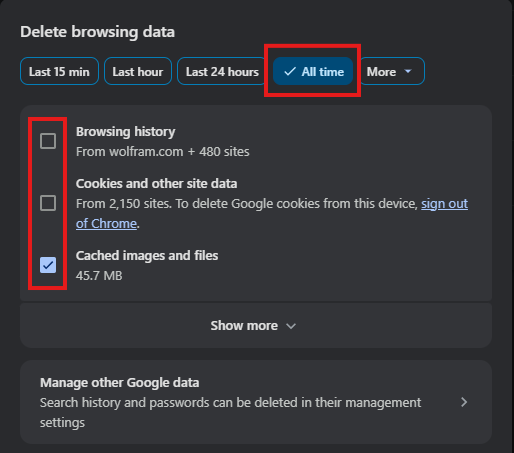
- Click Delete Data
- Restart Chrome, then reload the post. (It may take a few minutes for the changes to take effect.)



