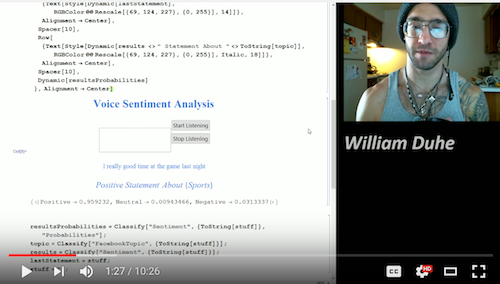
There is an enormous interest in developing NLP models into today's applications. I have decided to take a stab at what making a very general application to track:
- What people are talking about
- How they feel about what they are talking about
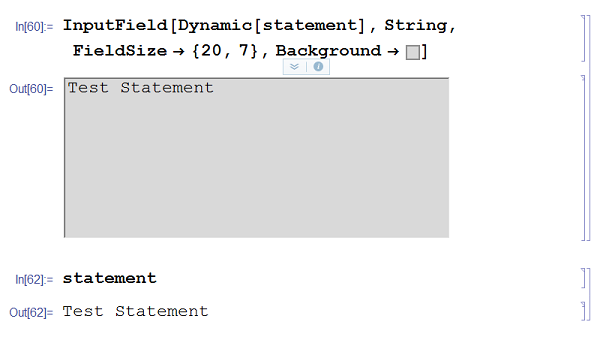
The first thing I need to do is capture a statement you want to analyze. I can build a simple front end utility to do this conveniently using InputField[]. This will take in a string input and dynamically update an object called "statement" in the kernel to what ever it is you type. I went ahead and styled it a bit. I even rigged it up to take in my voice via an external transcription an application and fill in the text box for me as I am talking. Check out the video at the end of this blog to see me demonstrate that.
inputField = InputField[Dynamic[statement], String, FieldSize -> {20, 7}, Background -> GrayLevel[0.85]]
The next thing Iwill want to do is determine different properties of interest about our statement. To this end we can employ two separate prebuilt classification functions "FacebookTopic" (What people are talking about ) and "Sentiment" ( How they feel about what they are talking about).
In this first function I will take in an string object statement and it will deduce the topic of the statement and return various information about the different statistical probabilities of the results.
topic = Classify["FacebookTopic", {ToString[statement]}];
In the second function we will deduce the overall sentiment of the statement.
sentiment = Classify["Sentiment", {ToString[statement]}];
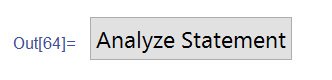
I need to wrap all this stuff together into a nice GUI that allows me to give the kernel statements - and get back the desired information at the click of a button. The button creates the topic and sentiment objects from the statement and stores them in a new object - response - which is a string combination to make it nice in the front end.
NLPButton =
 Button["Analyze Statement",
  topic = Classify["FacebookTopic", {ToString[statement]}];
  sentiment = Classify["Sentiment", {ToString[statement]}];
  response = "You made a " <> sentiment <>;
  ]
Now I can test it with the statement bellow with a new object which contains the precursor functionality wrapped in a front-end friendly environment.
ToolKit = Column[{
   inputField,
   NLPButton,
   Spacer[1],
   Dynamic[response]
   }, Alignment -> Center]
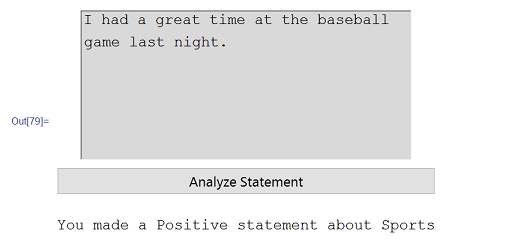
There are lots of creative ways to apply these types of quantitative descriptions of our results but I will leave this here as a simple exposition of the idea. I am working on a chat-bot like project and if you have any other cool ideas let me know.
Sentiment and Topical Analysis using Mathematica 10