Group Abstract Group Abstract

Message Boards Message Boards

0
|
7.6K Views
|
4 Replies
|
1 Total Like
View groups...
Share
Share this post:

Avoid issues with ListPolarPlot and ListSurfacePlot3D?

Posted 7 years ago
4 Replies
Posted 7 years ago

1) ListPolarPlot seems to choose a bad PlotRange in this case, particularly with the Interpolation option. You can workaround this with the PlotRange and PlotRangePadding options, i.e.

ListPolarPlot[{pairsC0C180, pairsC90C270}, PlotStyle -> {Red, Blue}, 
 Joined -> True, InterpolationOrder -> 2, PolarAxes -> True, 
 Joined -> True, PolarGridLines -> True, 
 PolarTicks -> {"Degrees", Automatic}, 
 PlotLabel -> HoldForm["LID in Polar Coordinates [cd/klm]"], 
 LabelStyle -> {16, GrayLevel[0]}, AxesStyle -> Gray, 
 AspectRatio -> Automatic, ImageSize -> Large, 
 PlotRange -> All, PlotRangePadding -> Scaled[.08]]
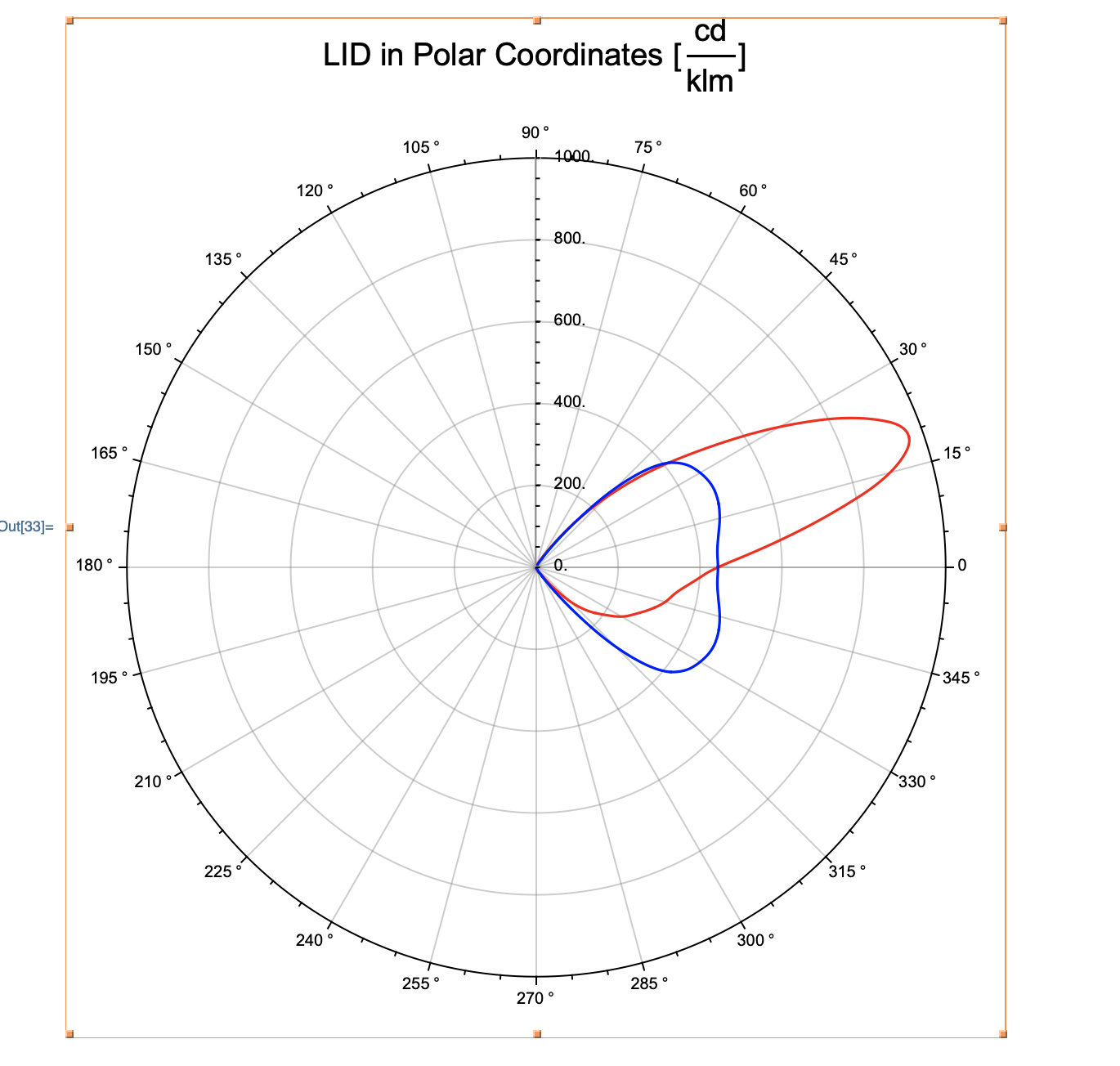
enter image description here

I'll report this issue with our visualization team so that we can look to improve the functionality in a future release.

2) The ListSurfacePlot3D is trickier. Is it possible to obtain more points from your source data?

POSTED BY: Kyle Martin

Hi Kyle, I am sorry to say that the workaround doesn't work in a sustainable manner. Several input line executions or notebook evaluations lead to a "back and forth" of graphic sizes.

enter image description here

POSTED BY: Jürgen Kanz

Upload Part 2:

POSTED BY: Jürgen Kanz

Hi Kyle,

Thank you very much for the problem #1 workaround.

Regarding your question: the number of points depends on the measurement grid, hence to add interpolated points wouldn't help. Instead I have created additional pair and xyz files of typical distributions.

...no2.mx files belong to a axially symmetrical distribution. Result is okay.

...no3.mx files belong to a different asymmetrical distribution compared to the first example. Result is still okay.

...no4.mx files represent other symmetries. Please compare the meaningful ListPointPlot3D with the ListSurfacePlot3D. At least I have problems to recognize the "body".

You can still use above mentioned notebook to visualize the files.

Thank you for support.

POSTED BY: Jürgen Kanz
Reply to this discussion
Community posts can be styled and formatted using the Markdown syntax.
Reply Preview
Attachments
Remove
or Discard