In the example below, the ListPlot is intended to show straight lines between the Locator positions chosen with a LocatorPane. What must be done to allow the ListPlot to update dynamically? A table of point values is displayed on the right using Grid. To make the Grid update dynamically, putting Dynamic@ in front was sufficient. But that doesn't work for the ListPlot. 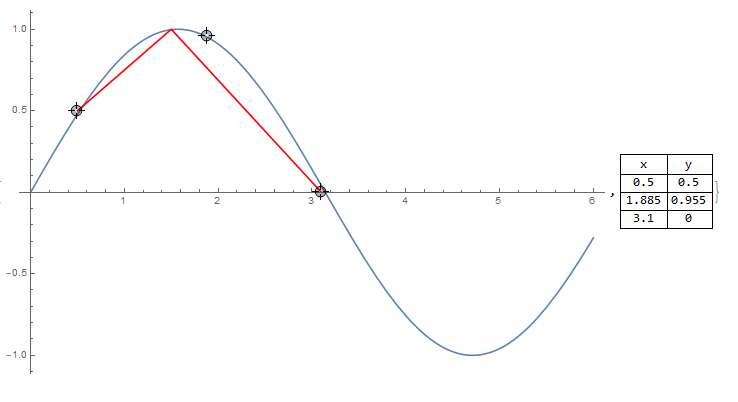
Moving the locator positions and the values in the Grid will update. How to make the lines of the ListPlot also update?
Here is the code
plotBackground = Plot[Sin[x], {x, 0, 6}];

DynamicModule[{pt = {{0.5, 0.5}, {1.5, 1.0}, {3.1, 0}}, plotInterp}
 , plotInterp =
  ListLinePlot[pt, InterpolationOrder -> 1, PlotStyle -> Red];
 {LocatorPane[Dynamic[pt],
   Dynamic@Show[{plotBackground, plotInterp}, ImageSize -> 600],
   LocatorAutoCreate -> True]
  , Dynamic@Grid[Prepend[pt, {"x", "y"}], Frame -> All]
  }
 ]
 Attachments:



