Group Abstract Group Abstract

Message Boards Message Boards

Change OpenAI API key for Chatbook

Posted 2 years ago

Hello

I'm trying to use a Chat-Enabled Notebook with the Chatbook Paclet. I have to change my OpenAI API key to a new one, but I can't get it to work.

I can delete SystemCredential["OPEN_API_KEY"] after which I should be asked about my API key I thought at least and I can even set it to the right value, but it uses the wrong key "sk-i...unO1" whatever I set in SystemCredential["OPEN_API_KEY"]. How can I change the API key Chatbook is using?
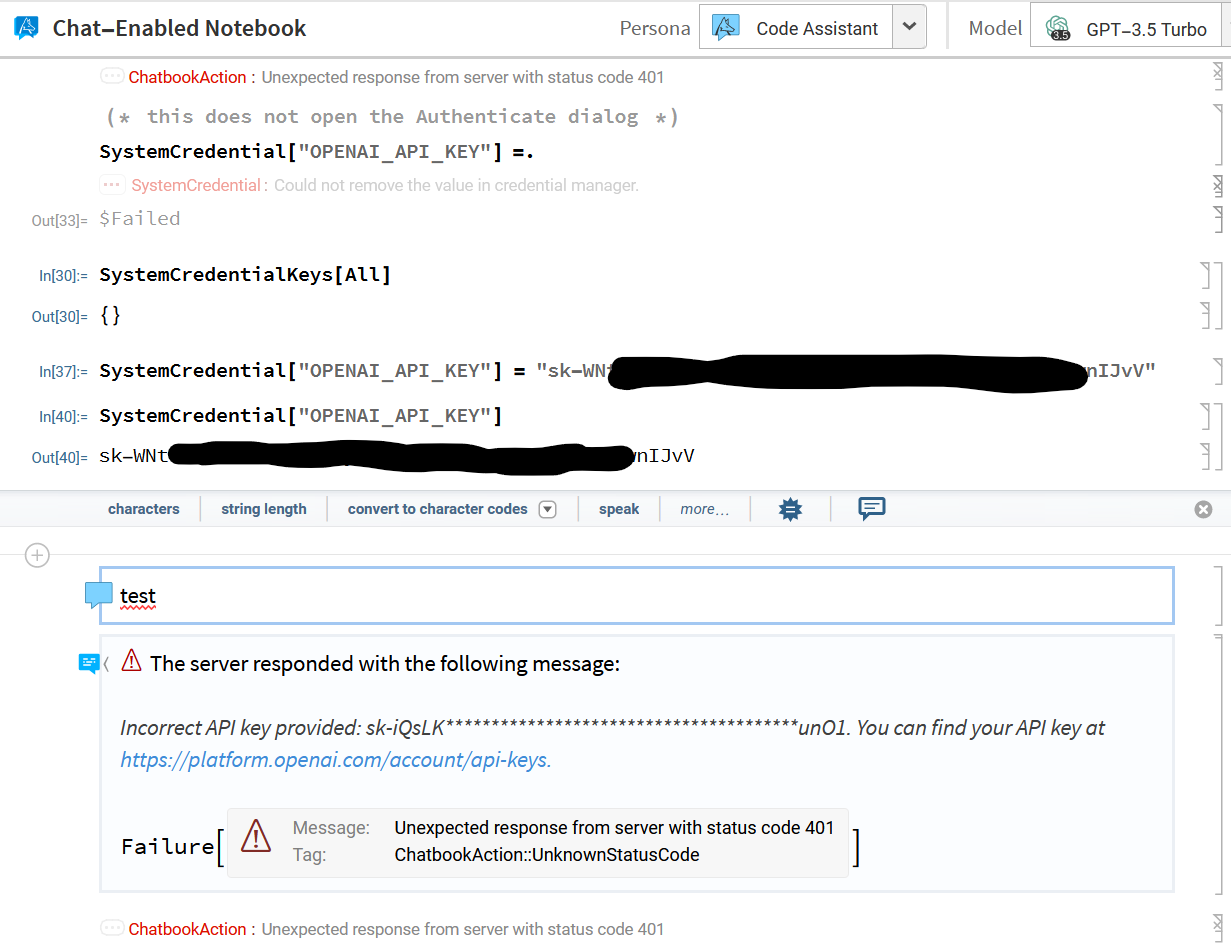
enter image description here

The OpenAI API has some credit balance, so I don't think it has something to do with OpenAI. I use the Wolfram Cloud if this is relevant.

Anyone some ideas?

Many Thanks!

POSTED BY: Malte Weigelt
6 Replies
Posted 2 years ago

Solve It! Just changed AI Model to another and that back to Open AI

POSTED BY: Sergey Scorin
Posted 2 years ago
POSTED BY: Sergey Scorin
Posted 2 years ago

Try

ServiceConnect["OpenAI", "New"]
POSTED BY: Rohit Namjoshi
Posted 2 years ago
POSTED BY: Sergey Scorin
Posted 2 years ago

I suggest trying to access the API via Python to see if it is an OpenAI key issue or a Wolfram Language issue

pip install openai

Execute this Python code after changing YOUR_API_KEY to your key

import os
from openai import OpenAI

client = OpenAI(api_key="YOUR_API_KEY")

completion = client.chat.completions.create(model="gpt-3.5-turbo",
messages=[
  {"role": "user", "content": "What is ChatGPT?"}
])

print(completion.choices[0].message.content)
POSTED BY: Rohit Namjoshi
Posted 2 years ago

hi, thanks for you reply, i am using wolframcloud.com chat enabled notebooks did everything like you suggested, but only get one line of code saying
print completion.choices[0].message.content

enter image description here

POSTED BY: Sergey Scorin
Reply to this discussion
Community posts can be styled and formatted using the Markdown syntax.
Reply Preview
Attachments
Remove
or Discard