Hi,
I am new to Mathematica and was trying some new things.
I wanted to rotate a rectangle using a rotation matrix by any angle theta from say o to 2pi.
I could do it using predefined Mathematica functions.
R = Rectangle[{-2.5, -0.5}, {2.5, 0.5}];
Animate[Graphics[GeometricTransformation[R, RotationMatrix[\[Theta]]],
   Axes -> True, PlotRange -> {{-10, 10}, {-10, 10}}], {\[Theta], 0,
  2 \[Pi]}]
But, say I want to write the 2x2 rotation matrix as a function and do it then how would i proceed?
I defined a 2x2 rotation matrix Rot and tried multiplying every coordinate of the rectangle, but I get an error and the rectangle doesn't rotate
I did the following:
Rot[\[Theta]] = {{Cos[\[Theta]], -Sin[\[Theta]]}, {Sin[\[Theta]],
    Cos[\[Theta]]}};


R = Rectangle[{-2.5, -0.5}, {2.5, 0.5}];
Animate[Graphics[GeometricTransformation[R, Rot[\[Theta]]],
  Axes -> True, PlotRange -> {{-10, 10}, {-10, 10}}], {\[Theta], 0,
  2 \[Pi]}]
Is there a simple way to do this by just defining a function and then using it?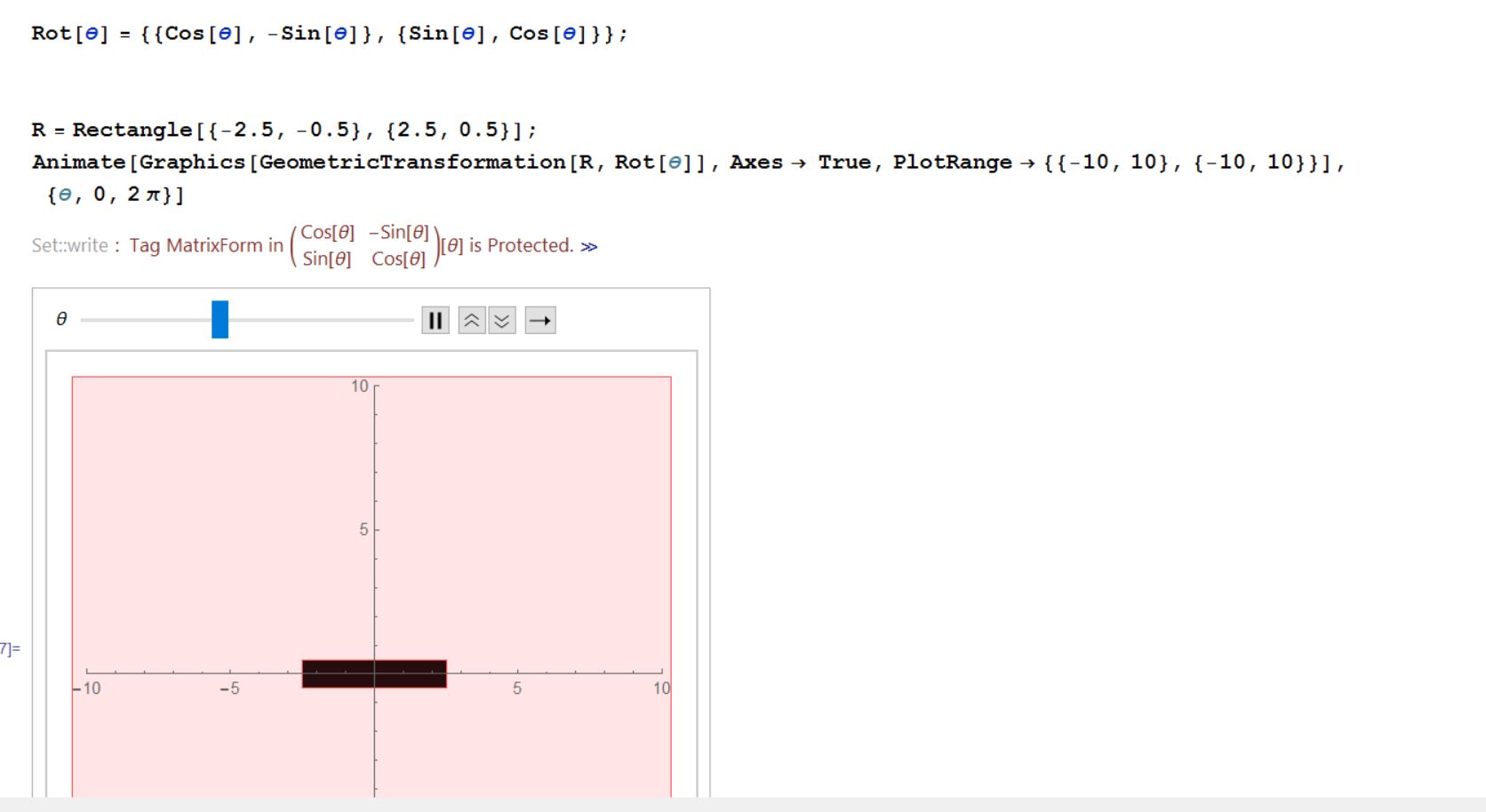
 Attachments:



