Problems with Image command?

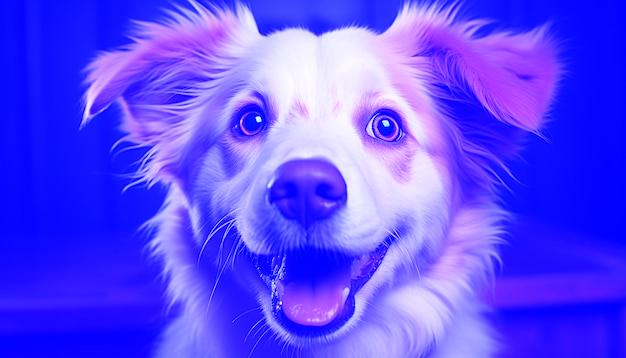
Until yesterday i was getting the image just fine but now it appears to me like this

what it going on is it a problem with Mathematica or has it anything to do with my video card? this is really important please let me know how to solve this…it was working fine i have been doing some copy and paste on chat gpt online unlimited prompts and i am afraid it has interfered with the normal functioning of my program Mathematica 12.0
Welcome to Wolfram Community!
Please provide your efforts in the form of the Wolfram Language code. This will make it easier for other members to help you. Check several methods available to include your code in the rules http://wolfr.am/READ-1ST

ok sorry but this top secret!

in graphics at the top of the mathematica program they are all disabled…

every time i use an image extracted from a file in the computer it goes wrong, when i copie and paste the picture from the web it works fine

{74,75,67,74,75,67,74,75,67,74,75,67,74,75,67,74,75,67,74,75,67,74,75,67,74,75,67,74,75,67,74,75,67,74,75,67,74,75,67,74,75,67,74,75,67,74,75,67,76,77,69,76,77,69,76,77,69,76,77,69,76,77,69,76,77,69,76,77, [CenterEllipsis]151739[CenterEllipsis] ,0,1,2,0,1,2,0,1,2,0,1,2,0,1,2,0,1,1,1,1,1,1,1,1,1,1,1,1,1,1,1,1,1,1,1,1,1,1,1,1,1,3,3,3,3,3,3,3,3,3,2,2,2,2,2,2,1,1,1,1,1,1,1,1,1,0,0,0}

every time the file is saved in the desktop it appears with this ending
and it does not work while when i copy from the web it has this ending :

{74,75,67,255,74,75,67,255,74,75,67,255,74,75,67,255,74,75,67,255,74,75,67,255,74,75,67,255,74,75,67,255,74,75,67,255,74,75,67,255,74,75,67,255,74,75,67,255,74,75,67,255,74,75,67,255,74,75,67, \[CenterEllipsis]202382\[CenterEllipsis] ,1,1,255,1,1,1,255,1,1,1,255,1,1,1,255,1,1,1,255,1,1,1,255,3,3,3,255,3,3,3,255,3,3,3,255,2,2,2,255,2,2,2,255,1,1,1,255,1,1,1,255,1,1,1,255,0,0,0,255}

and it works fine

Ok i just solved the problem…i had to convert the image in RGB to RGBA.. that was giving a n incompatibility… now it is working just fine

(* Abrir uma caixa de entrada para colocar o caminho da foto *)
caminhoWeb = InputString[“Digite o URL da foto:”];

(* Importar a foto da web *)
img = Import[caminhoWeb];

(* Verifique se a imagem foi importada corretamente *)
If[Head[img] === Image,
  (* Obter os dados da imagem em formato RGB *)
  imgData = ImageData[img];
  
  (* Adicionar o canal alfa de 255 a cada pixel *)
  rgbaData = Map[Append[#, 255/255.] &, imgData, {2}];
  
  (* Transformar de volta em imagem RGBA *)
  imgRGBA = Image[rgbaData, "Real"];
  
  imgRGBA,

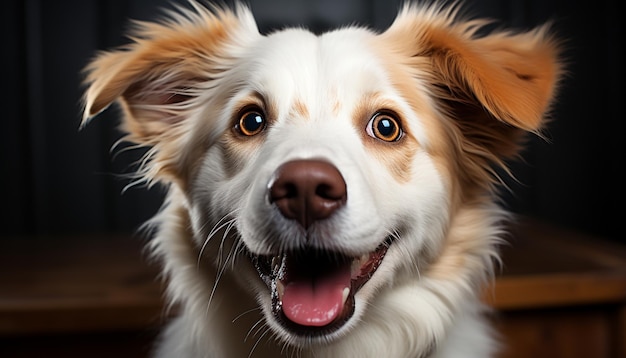
img=imgRGBA now using this code the image as it appears to me is like this ![the real picture is brown and white][2]

the other image i am trying to post here is brwon and white , it happeans everytime it downloads into the program…it in not in RGB…this is the path to it" https://img.freepik.com/fotos-gratis/cachorrinho-fofo-sentado-olhando-para-a-camera-brincalhao-e-divertido-gerado-pela-inteligencia-artificial_25030-64686.jpg?ga=GA1.1.1193913009.1730565348&semt=ais_hybrid"
I wonder if anybody can contour this problem… or i am gonna have to wait for wolfram to include
RGBA in the packet…

Try adding the ColorSpace -> "RGB" option to Image[]. The alpha channel still seems to be present even though it’s called RGB.

There is also SetAlphaChannel[], in case that is helpful to you.

I Will try that and let you know if it worked…thanks in advance…i will remeber you…

THANK YOU SO MUCH MICHAEL ROGERS IT WORKED THE DOG IS BROWN AS IT SHOULD BE!!!