Thank you, Silvia!
There is another recent MMa.SE thread with important observations:
Please note the second bullet point in the "TL;DR" section of my answer there: it stresses an undesirable side effect of the current (version 13.0.0) mechanism of handling of ImageResolution by the system.
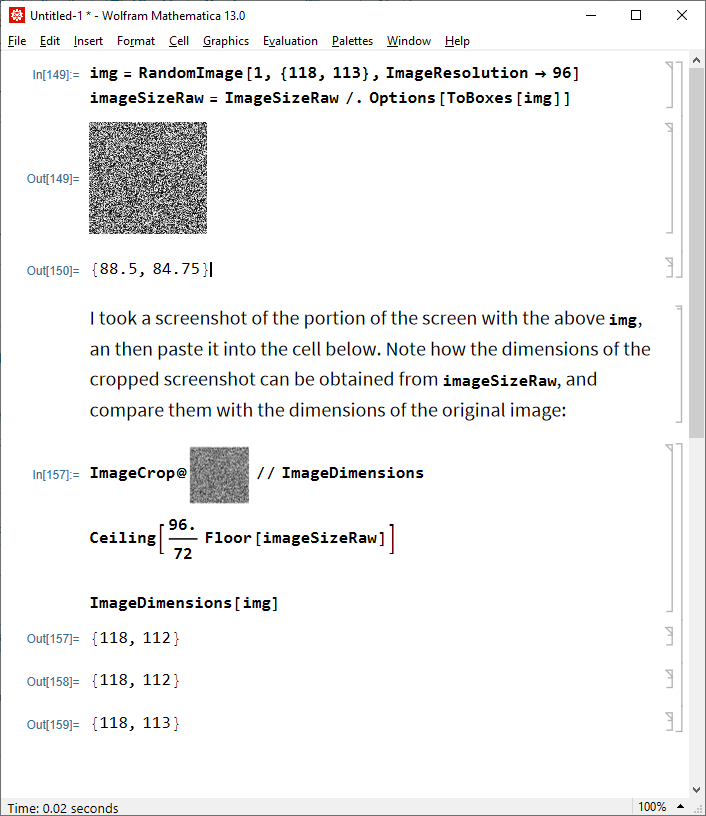
The problem is that on the Image rendering ("typesetting") stage the Image option value (for example) ImageResolution -> 96 is first translated into the value of ImageSizeRaw option of GraphicsBox through multiplying ImageDimensions by the coefficient (72/96), and then ImageSizeRaw seemingly is rounded down by the FrontEnd before applying the hidden scale 96/72 on Windows. As the result, we don't get the pixel-perfect rendering even for images with ImageResolution -> 96 (i.e. with resolution equal to the most common screen resolution on Windows systems 96 DPI), for which we should have pixel-perfect rendering naturally.
You can see how the translation happens by applying ToBoxes:
img = RandomImage[1, {110, 113}, ImageResolution -> 96]
Options[ToBoxes[img], ImageSizeRaw]