Quadro M1200
Intel i7
32 Gb RAM
I'm currently rendering some large 3D scenes for some projects. I'm aware I'm pushing my hardware and Mathematica to its limits. I previously asked some questions about frontend crashes when using Graphics3D and export and I now better understand why and can work around it.
I am managing to get the results I want by closely monitoring my system when pushing the settings just below failure. But I'm wondering if some of the issues I'm working around can be prevented. Therefore I'm posting my experience here and hoping to get some tips to improve.
But first the nice results before the boring evaluation.
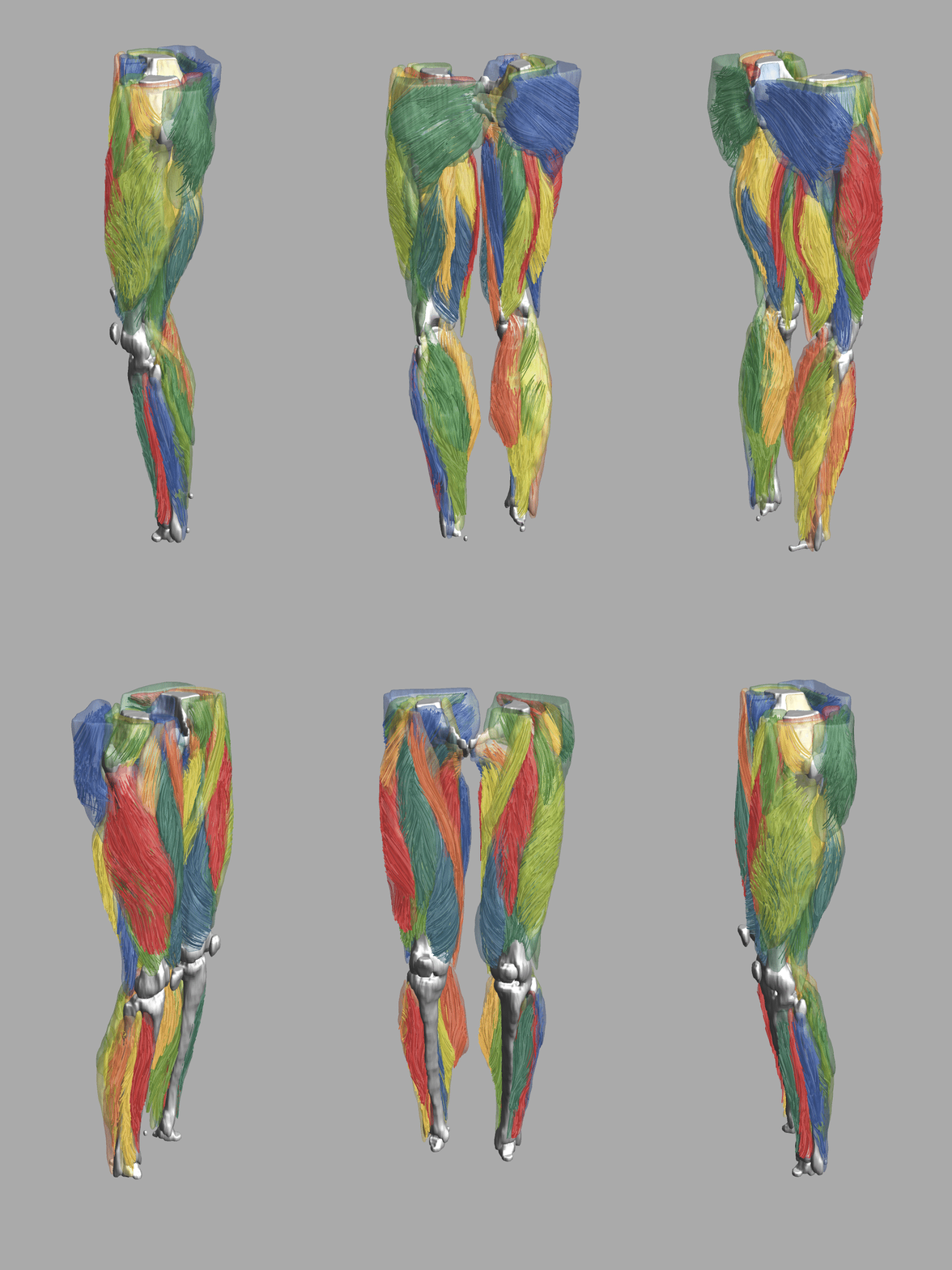
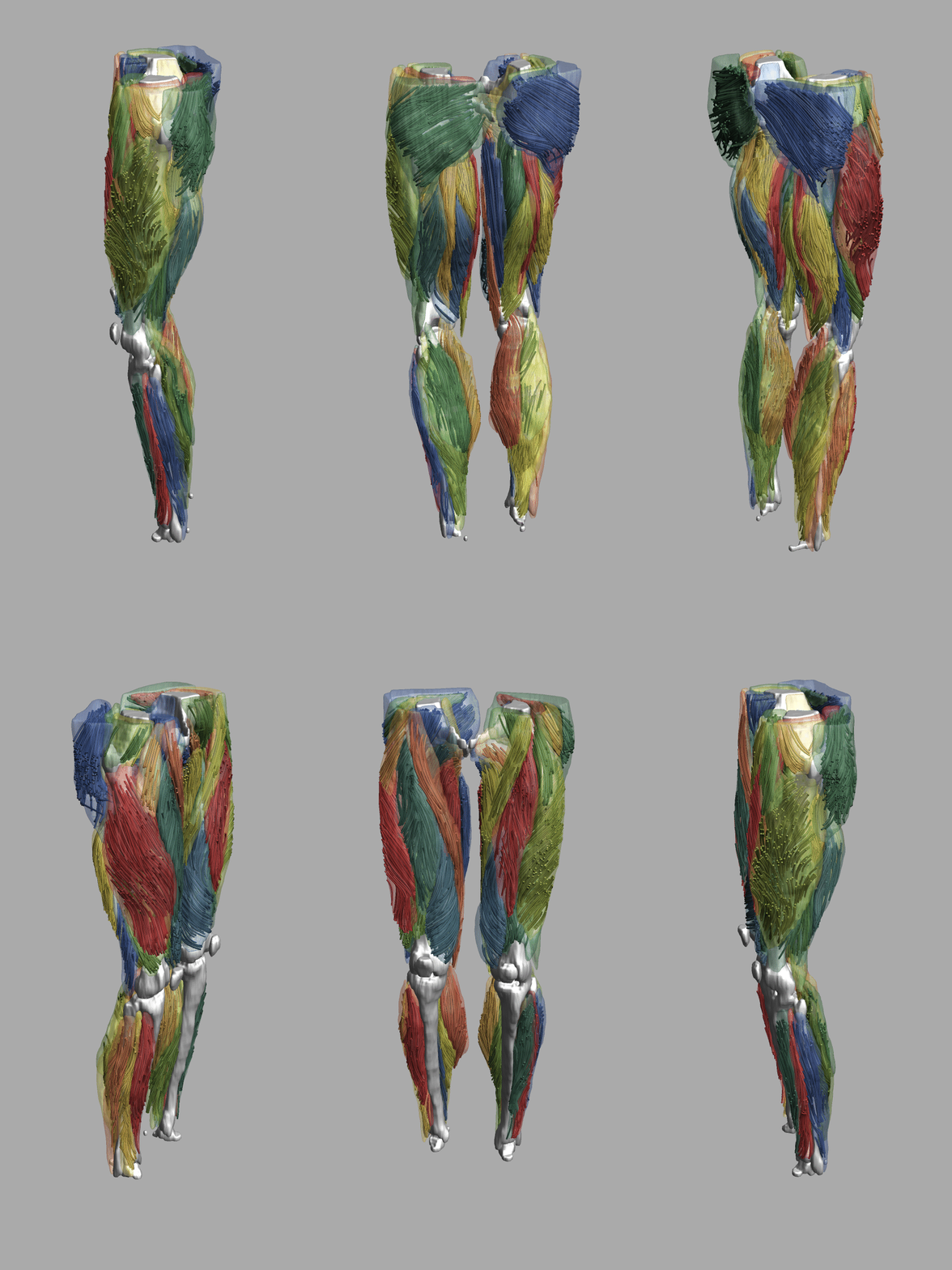
My laptop is a Intel i7 with 32 Gb RAM and and Nvidia Quadro M1200. for the graphs below red is memory usage and green is CPU usage both in %. For my scene I have 60 transparent iso-volumes and 4 solid ones. The streamlines I render are subsampled from around 500K lines i generate. For lines I select 12.5k lines with around 100 vertices each, for tubes I select 7.5 k lines. My $HistoryLength setting is always 0 since I'm working with sizable data.
When exporting my scene using lines this is my system memory. I don't display the scene in the frontend only export it to *.png files. The export is clearly handled by the frontend and CPU and at the moment of export the memory spikes and the GPU does some work. However after everything is done and i quit the kernel the Mathematica frontend is still using between 3-4 Gb of RAM. Exporting one PNG takes around 2-3 Gb.
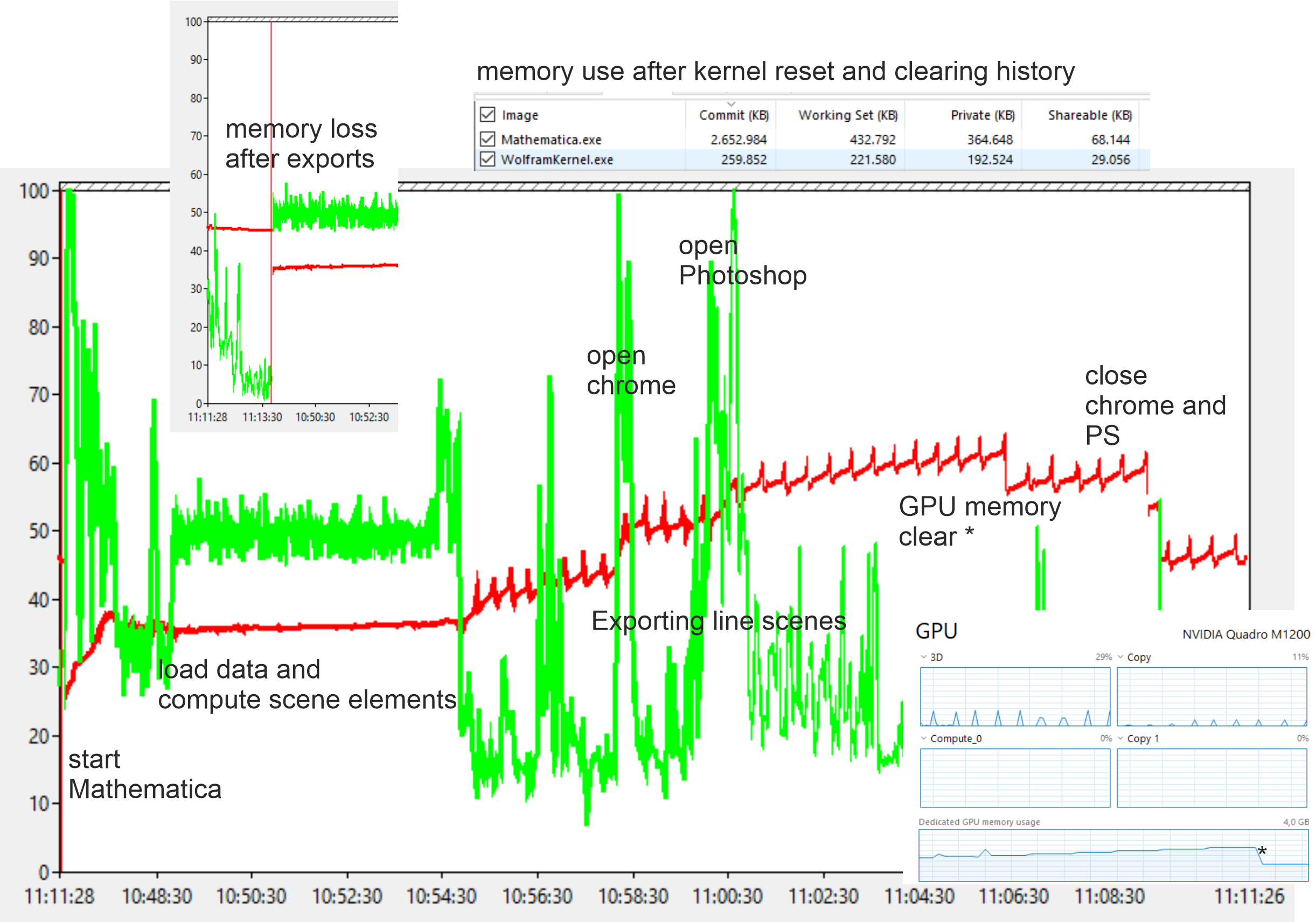
When exporting tubes things get a bit more heavy and needs between 6-8 Gb of memory per image. after everything is done i have lost around 5 Gb of RAM that I can only get back by closing the frontend.
For a clean system and Mathematica start i use around 25% memory. After loading and processing i have 35% in use. After one round of exporting lines and tubes, closing Mathematica reopening loading and processing the data I'm at 50% memory usage so somewhere I lost 15%.
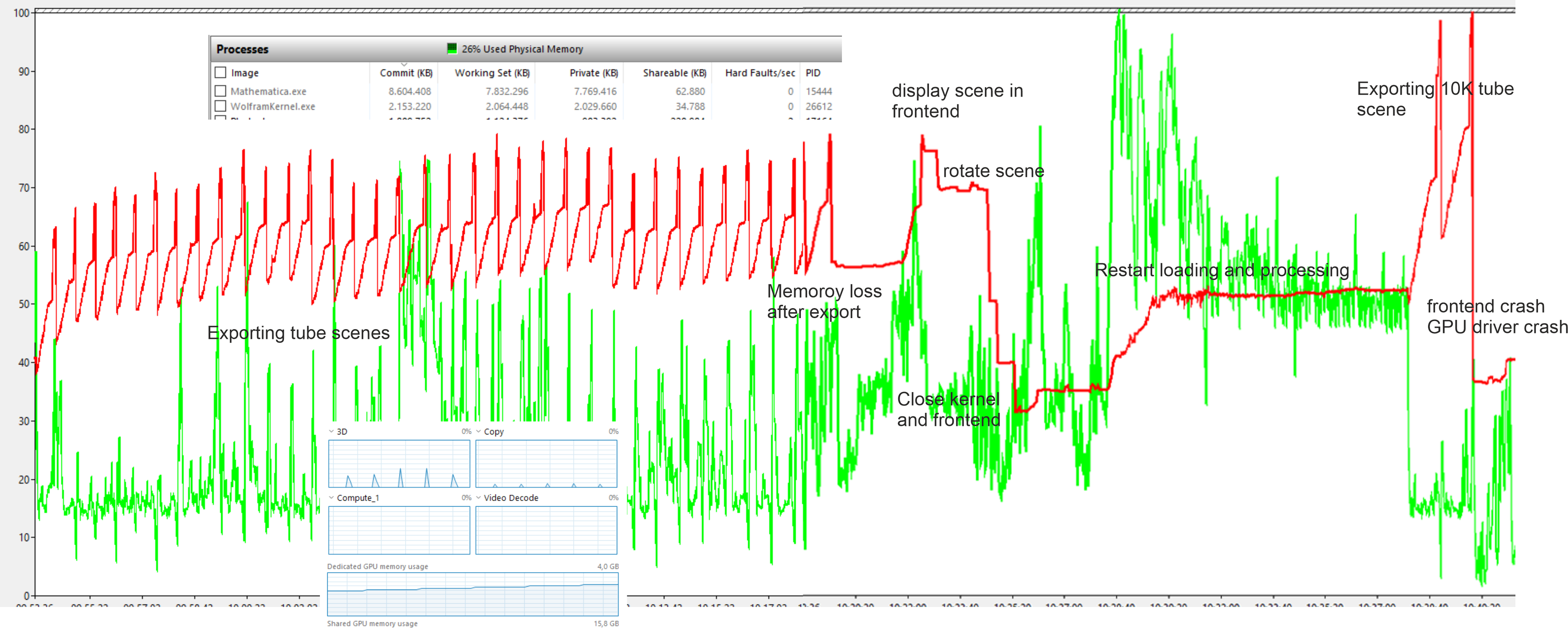
If I push everything to far the export will overflow the memory resulting in a frontend crash and sometimes a GPU driver crash. I now somewhat know the limits of what I can do but after working for a while exporting and optimizing visualization at some point my memory keeps growing. I now monitor this and when i come to the point of getting close to a crash the only thing i can do is restart everything to reset my memory.



